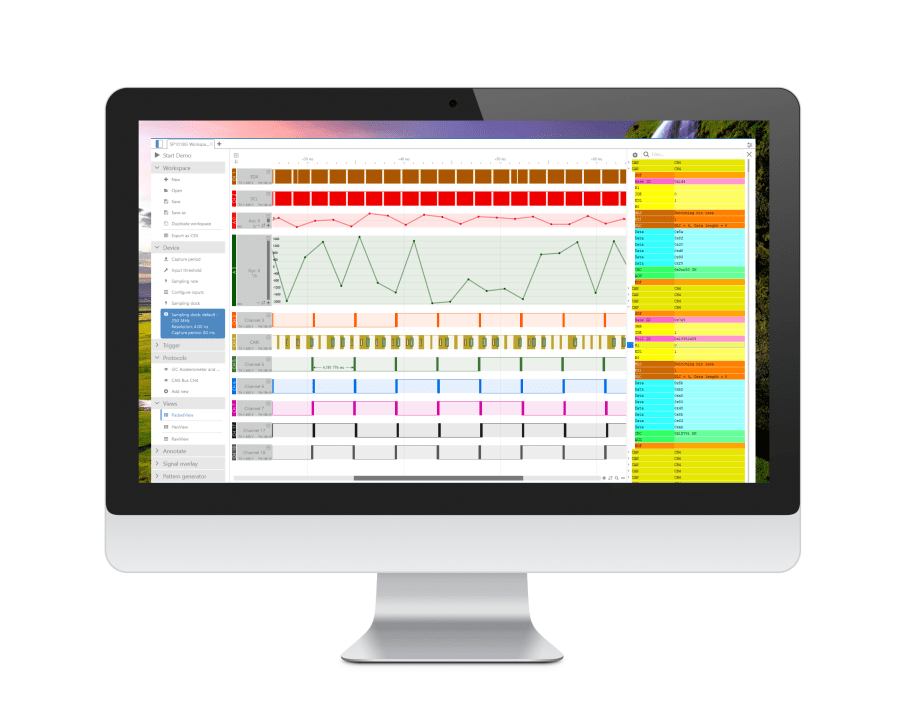
Click
Here to download example sessions of data acquisition
/ decoding and see how smooth and user friendly the
software is!
|
History log:
[09/08/2011] - V2.8.0.2
Added
the possibility to change the top time bar datum (Zero position).
To do that, add a new marker where you want the new datum to
be, right-click on the marker > "Set as new time datum".
When saving a file with SCANALOGIC generated bit streams and
Serial data, the data generator script is also saved and restored
next time the file is opened.
Made the time
selection bubble's colors more optimized for printer friendly
operation.
Corrected a
bug that caused wrong timings to appear in the time selection
bubble.
Corrected a
bug that caused FFT analysis to be refreshed
[23/04/2011] - V2.8
Completely
new, more comprehensive decoders / analyzers interface.
Removed the
"basic tab", replaced it by top bar icons and mouseOver
info-box on the graph
Added transparency
effects when showing/hiding a decoder
Added GZIP
compression to saved SCL files (reducing file sizes to <
10 Kbytes)
The CTRL or
ALT button now allows slow zooming
Added CAN™
bus decoder
Added Manchester
bi-phase decoder
Added the possibility
to have various decoders at the same time (like CAN on CH1,
UART on CH2, and i2c on ch3 and 4)
Added the possibility
to decode SPI on 3 wires only (half duplex), leaving 1 wire
for another bus.
Added more
options to the I2C decoder to allow different interpretation
of the address field.
Animated the
Zoom in/out sequences for more friendly graph navigation
When zooming
in/out, the the zoom will step to canonical values of time per
division, that it, it will jump from 5ms/div to 6ms/div (in
earlier versions, you could always see values like 5.346 ms/div
which was unfriendly from some users...)
[18/02/2011] - V2.7
Added
LIN1.x and LIN2.x protocols decoding, Thanks to Gerard
Klaver from the Netherlands
Added the possibility
to add comments under a time selection (right click on time
selection then click "Add/change comment"). Those
comments are saved with the waveform.
[10/01/2011] - V2.6
Increased
the maximum sampling depth to more than 261K sample
Added auto-decode
feature: No need to press the "decode" button after
each data capture
Added infinite
number of byte watches (formerly called byte highlight)
Enhanced the
navigation to be much smoother with lower CPU and memory utilisation
Saving a data
sequence saves all interface variables like the zoom level,
decoder settings, chart position. Re-openning a saved sequences
lets you continue exactly from where you left!
Enhanced the
visual rendering of the decoder, yielding a much more user friendly
interface
Added colors
profile features, alowing you to quicly switch between standard
colors, printer friendly colours and other custom colors profiles.
Added the possibility
to change the chart lines width of every colour profile, which
can be usefull for printing charts with bold clear lines
Added "open
recent files"
[02/09/2010] - V2.4
Added a comprehensive
Maple bus decoding - Thanks to the participation
of Gerard CHATRY.
Added trigger
delay information on the timeline
[10/08/2010] - V2.3
Added compression
to the saved SCANALOGIC (.scl) files. now files are 9 times
smaller in size.
Added "After
trigger delay" feature (Appears in the Device configuration
tab, only if your device's firmware version is above 1.0, download
latest version below)
Added option
to copy/paste entire channel, available by right clicking in
the chart area.
Added the option
to copy/paste time blocks.
BUG FIX: When
the user navigates from a maker to another using the keyboard
shortcuts, the actual zoom remains unchanged.
[18/07/2010] - V2.2
Added "snap
to edge" feature when adding or moving a marker, this way
you can easily align the marker on he edges of the waveform
Added rendering
options to allow the user to adjust the software for best visual
appearance or best performance. This allow users having slow
computers to use the software smoothly. The new feature can
be found by going to View > Configure chart view
Added colors
on all labels stating the channels (CH1 to CH4), to help the
user to know which channel goes with which probe.
Added an option
to hide the bottom log for users who have a small netbook's
screen. This feature can be found under View > Hide
Bottom Log
Added the option
to hide/show individual channels. You will notice 4 new icons
on the top tool bar for that purpose. They are simply called
"1", "2", "3" and "4".
clicking on it toggles the channels ON/OFF
Added the Keyboard
shortcut to go to a marker simply by pressing it's corresponding
number. for instance, to quickly center the screen on marker
M0 position, simply press the "0" key on your keyboard.
This features only works with the first 10 markers (M0 to M9).
Note that this can be used to quickly go to the trigger position
by pressing 0, as this is always the position of M0.
Added Page
Up / Page Down keyboard shortcuts
to advance the chart view forward or backward by a complete
page.
Added Home
/ End keyboard shortcuts to advance the chart
view to the end or to the beginning.
The horizontal
scroll bar used to navigate through the chart view now scrolls
the chart of one full grid step instead of just one sample length.
Corrected minor
issue with 1-Wire decoder: if a presence pulse was no present,
the decoder would ignore that and continue decoding. now if
a packet don't have a presence pulse, it is totally ignored.
[13/06/2010] - V2.1
Added 1-Wire
decoding feature
[25/05/2010] - V2.0 Initial release
SCANALOGIC 2 Firmware
 |
Download the Latest firmware
(V1.2)
To load the new firmware to your device, connect it
to the PC, launch the software, go to File>Update
device firmware, and load the file you just
downloaded. Please follow the instruction given in the
software carefully.
|
Browse SCANALOGIC 2 pages: