Introducing the New Dual ADC Decoder for ScanaStudio

We're excited to announce the release of a new ADC decoder script for ScanaStudio, designed to simplify the analysis of parallel ADC data captured with your logic analyzer. Whether you're debugging analog signal acquisition systems, verifying ADC performance, or analyzing I/Q data streams, this new decoder provides the flexibility and visualization tools you need.
What is the ADC Decoder?
The ADC (Analog-to-Digital Converter) decoder is a versatile protocol analysis script that interprets parallel digital data lines from ADC chips. It's specifically designed to handle the most common ADC configurations found in embedded systems, test equipment, and RF applications.
Key Features
Fully Configurable Architecture
The new ADC decoder offers comprehensive configuration options to match your specific hardware setup:
- Bit Resolution: Configure the number of data bits to match your ADC's resolution (8-bit, 10-bit, 12-bit, 16-bit, or any custom resolution)
- Channel Support: Decode single-channel or dual-channel ADC data streams simultaneously
- Flexible Clocking: Support for both independent clock signals (separate clocks for each channel) and common clock configurations
- Data Format: Automatically interprets parallel data lines and reconstructs digital values
Virtual Analog Channel (VAC) Visualization
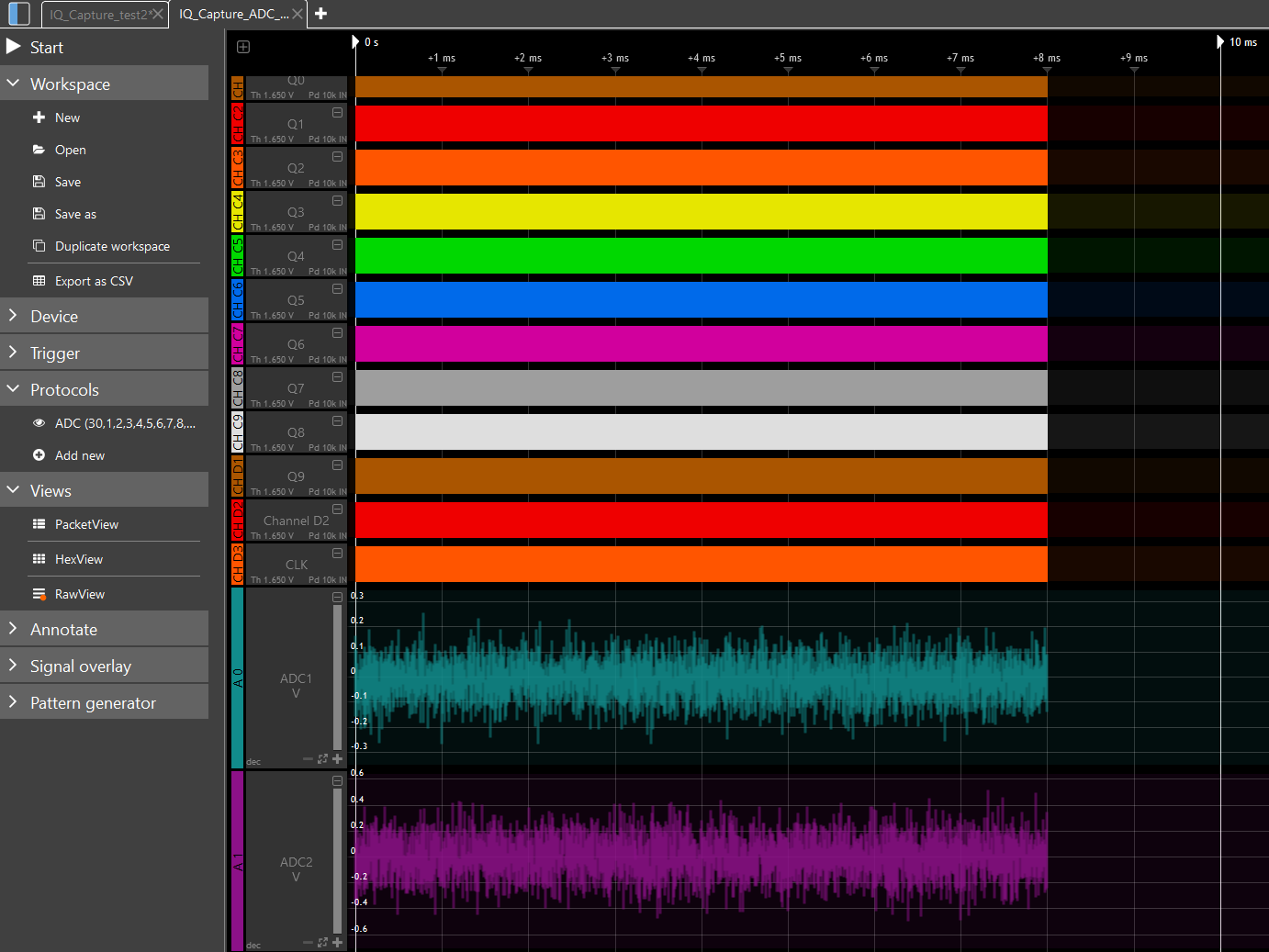
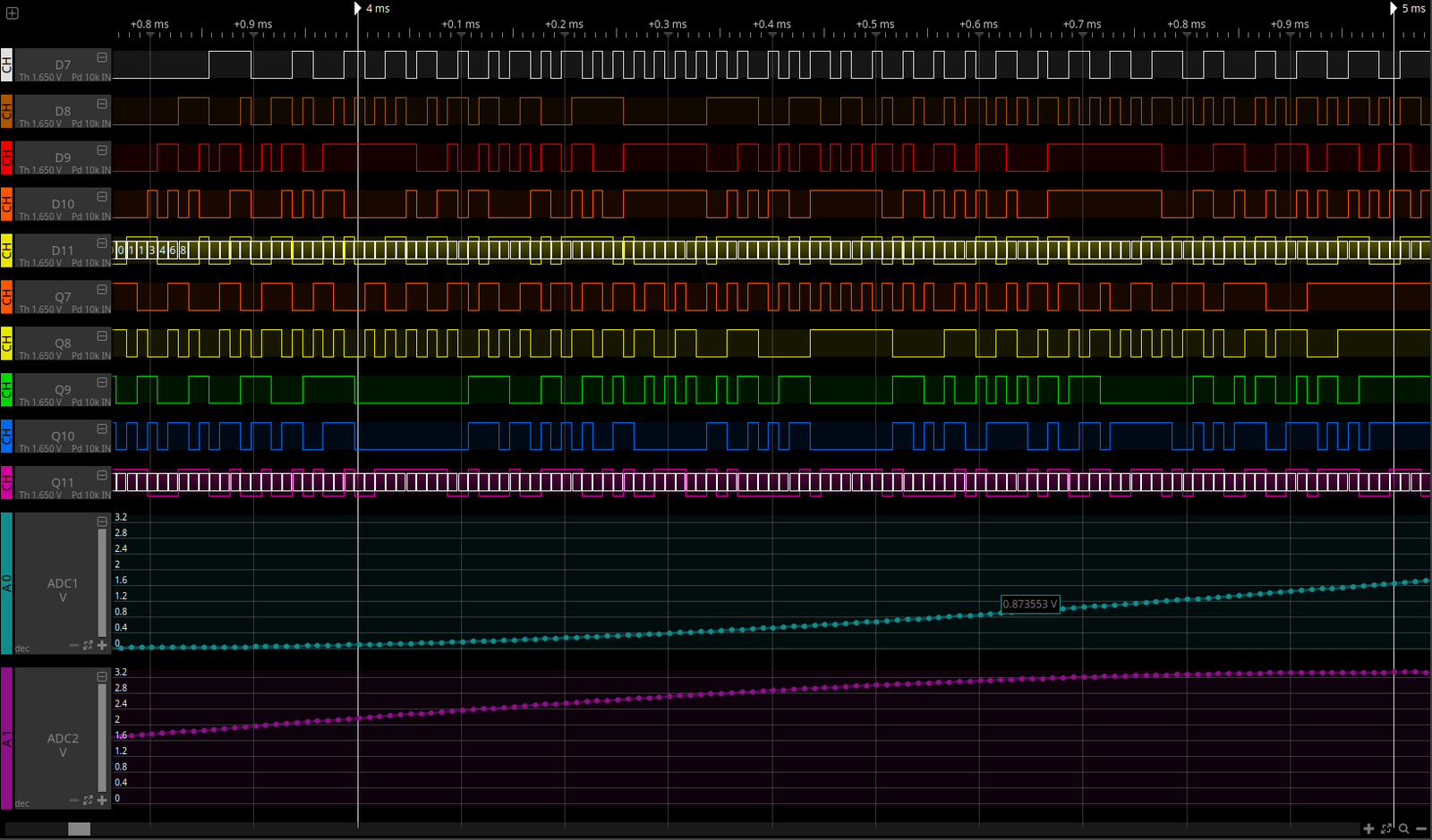
One of the most powerful features of this decoder is the Virtual Analog Channel (VAC) display. Instead of just seeing raw digital values in the decode table, the VAC feature reconstructs and displays the analog waveform that the ADC originally sampled.
This visualization capability is invaluable because it:
- Bridges the Digital-Analog Gap: See the original analog signal alongside your digital captures
- Simplifies Analysis: Quickly identify signal characteristics like amplitude, frequency, and distortion without mental conversion
- Accelerates Debugging: Spot anomalies in the analog domain that might not be obvious from digital values alone
- Enhances Understanding: Visualize what your ADC is actually "seeing" in real-time
The VAC display scales automatically based on your ADC's bit depth, providing accurate amplitude representation of the reconstructed analog signal.
Real-World Applications
The dual ADC decoder excels in numerous applications:
RF and Communications Systems
- I/Q Data Analysis: Decode in-phase and quadrature signals from SDR (Software Defined Radio) receivers
- Signal Quality Assessment: Verify signal integrity in RF front-ends
- Baseband Processing: Analyze digital outputs from RF downconverters
Embedded Systems Development
- Sensor Interface Debugging: Validate ADC readings from temperature, pressure, or position sensors
- Audio Processing: Analyze digital audio streams from ADC inputs
- Data Acquisition Verification: Ensure correct ADC configuration and data capture
Test and Measurement
- ADC Performance Testing: Evaluate timing, linearity, and accuracy of ADC implementations
- Multi-Channel Synchronization: Verify proper timing relationship between dual ADC channels
- Signal Reconstruction: Validate that digitized signals accurately represent analog inputs
Education and Research
- Signal Processing Education: Demonstrate sampling theory and ADC operation
- Algorithm Development: Capture real-world data for DSP algorithm testing
- Protocol Development: Analyze custom ADC interfaces and timing schemes
Getting Started
The ADC decoder (ADC.js) is now publicly available in ScanaStudio. To use it:
- Capture your ADC data lines using your Ikalogic logic analyzer
- Select the ADC decoder from the protocol list
- Configure the decoder parameters:
- Assign channels to your data bits
- Select the clock signal(s)
- Choose single or dual channel mode
- Enable VAC display if you want waveform visualization
- Run the decoder to see your results
The decoder will display decoded values in the raw view and, if enabled, show the reconstructed analog waveform in the VAC (virtual analog channel) display.
Conclusion
The new ADC decoder represents a significant enhancement to ScanaStudio's protocol analysis capabilities. By combining flexible configuration options with powerful Virtual Analog Channel visualization, it provides engineers with the tools they need to efficiently debug and analyze ADC-based systems.
Whether you're working with single-channel sensor data or complex dual-channel I/Q signals, the ADC decoder makes it easier to understand what's happening in your system. Download ScanaStudio today and try the new ADC decoder with your next project!
Have questions or feedback about the ADC decoder? Contact our team – we'd love to hear how you're using it in your applications.