ScanaPLUS has been discontinued and replaced by the SP259 series, which captures 9 channels at 250 MS/s over USB 3 and has a more robust input stage.
We continue to support the users who bought a ScanaPLUS. If you have any questions or need assistance with the transition, please contact us.
ScanaPLUS
9 Channels logic analyzer
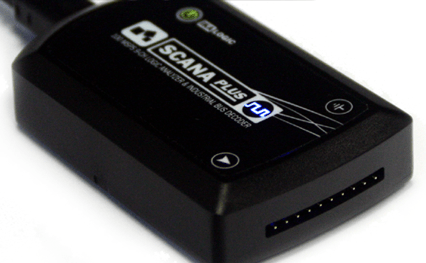
ScanaPLUS is a 9-channel logic analyzer sampling at up to 100 MHz. It compresses the samples and streams them to the host computer.
Which ScanaStudio version to use
ScanaPLUS is not supported by ScanaStudio V5 or V6. Use ScanaStudio V4:
Principle of operation
ScanaPLUS samples all 9 channels at up to 100 MHz and records the exact time of every transition. It compresses that data and streams it to the host computer as it goes, so there is no sampling rate to trade against capture time: the device runs at full rate without spending more memory for it.

Drivers
Windows
The ScanaPLUS drivers ship with ScanaStudio V4 and are normally installed with it. Some system configurations need the driver installed by hand:
- Download the driver package.
- Unzip it to a known folder, for example
c:\ScanaStudioDriver\. - Connect the device directly to a root USB port, not through a hub.
- Open the device manager and find it. Until the driver is installed Windows cannot enumerate it properly, so it may be listed as "IKALOGIC Device", "IKALOGIC COM PORT" or "USB Serial port", usually with a yellow exclamation mark. Unplugging and replugging the device shows which entry it is.
- Right-click it and select "Update driver".
- Point the wizard at the folder from step 2 and finish the installation.
If the device is still not recognized, install the FTDI D2XX drivers.
Linux and macOS
ScanaPLUS carries an FTDI USB chip loaded with the default FTDI PID, which is shared with other FTDI products. Later Ikalogic devices use a proprietary PID that stops the FTDI drivers from claiming them as a serial port. The device compatibility wizard in ScanaStudio, in the settings menu at the top right, updates the PID of an older device.
LED indications
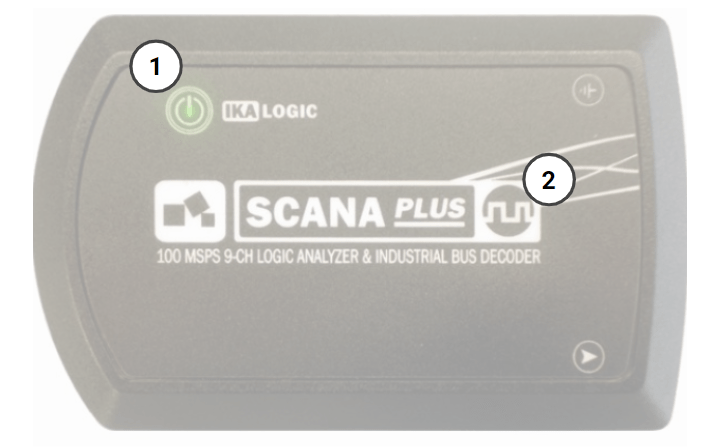
- Power LED, on whenever the device is connected to a USB port and powered
- Activity LED, blinking whenever a logic state change is detected on any of the 9 channels