Logic analyzers and ScanaStudio
This manual covers Ikalogic logic analyzers and the software that drives them, ScanaStudio V6.
What a logic analyzer is
A logic analyzer measures how a logic level varies over time. It records only the binary state of a digital signal, 0 or 1, over as long a period as you need.
Every electrical signal is analog, and no real signal is a perfect square wave: they carry noise and overshoot. A logic analyzer draws captured signals as clean squares because its front end converts the analog voltage to a logic level first, usually with hysteresis between a high and a low threshold so that noise around the switching point does not produce false transitions.

The image above shows an analog signal (a) converted to a digital one (b).
Storing one bit per channel instead of a voltage is what lets a logic analyzer record for much longer than an oscilloscope. How much it can record is its capture depth, and that is usually the number that decides whether you catch the event you are looking for: a fault that appears once a minute is only explicable if you still have the minute that led up to it.
What you use one for
A logic analyzer diagnoses digital circuits and embedded systems. It shows what a microcontroller, an FPGA or a sensor actually put on the wire, as opposed to what the firmware was supposed to put there. The questions it answers are whether a device replied at all, whether it replied in time, and whether the bytes it sent were the expected ones.
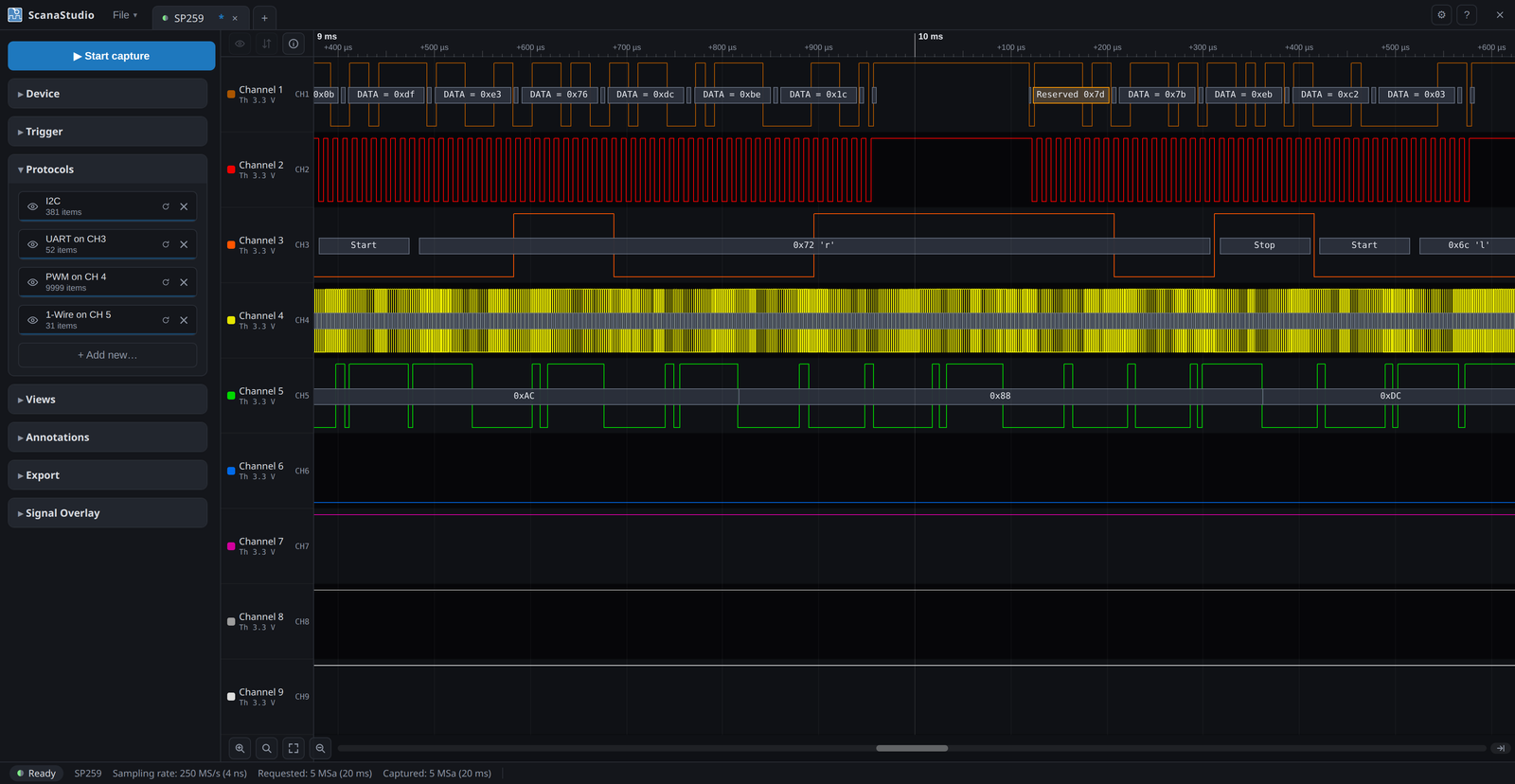
Below is a capture decoded by ScanaStudio:
Ikalogic devices
Ikalogic logic analyzers connect to a computer over USB. ScanaStudio configures the device, displays what it captured, and decodes protocols such as I2C, SPI, UART or CAN.
ScanaStudio V6 drives three families:
- the SE254, 4 channels at 250 MS/s
- the SP259 series, 9 channels at 250 MS/s, with an industrial variant
- the SP1000G series, 18 to 54 channels at 1 GS/s, which also generates signals
Supported devices compares them field by field. Devices that are no longer produced, including the SP209, the SQ series, ScanaPLUS and Scanalogic-2, are documented under Discontinued products and are driven by an earlier version of ScanaStudio.
How to read this manual
If you have used ScanaStudio 3 or 5, start with How ScanaStudio works: V6 is built differently, and that one page explains most of what changed. Otherwise go straight to Installing ScanaStudio and Your first capture.
There are two other manuals:
- This one covers the application: capturing, decoding, measuring, exporting.
- The ScanaStudio SDK drives the same instruments from Python, NodeJS, Rust or C, for a test bench or anything else you would rather run than click.
- The scripting manual covers writing the JavaScript scripts that decode a protocol or generate a pattern.