How ScanaStudio works
ScanaStudio V6 is two programs. A server owns the instruments, the captured samples, the
decoders and the script library. The window you interact with is one of its clients, and it
talks to the server over a WebSocket, by default at ws://127.0.0.1:4911.
Installing ScanaStudio installs both, and starting the application starts the server for you. You never have to start a second program. But it is useful to know how it works, because it explains several behaviours that surprise users coming from ScanaStudio 3 or 5.

Closing the window does not stop the capture
The server holds the capture, not the window. Close the window during a long acquisition and the device keeps sampling. Open ScanaStudio again and the workspace is still there, with its data, its decoders and its settings, and it offers to bring it back:
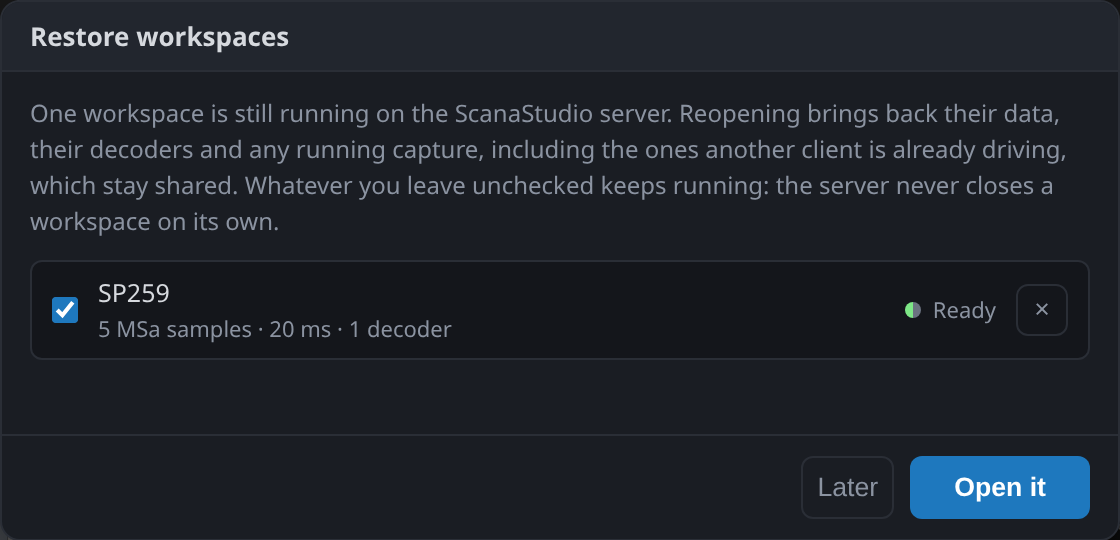
The same is true of a crash, and of a capture started from a script rather than from the window. Open headless workspace… on the home screen picks up a workspace the server is holding that no window has ever displayed:

More than one client at a time
The workspace is on the server, so several clients can attach to the same one. A second window shows the same capture, and a script can read the samples a window is displaying while it is displaying them. Whoever is attached sees the same data.
This is what the SDK builds on. Anything the window does, a program can do against the same server: see Driving ScanaStudio from code.
The server can be on another machine
The server does not have to run on the computer in front of you. The instrument can sit on a bench elsewhere with a small computer attached, and you connect to it across the network.
Add its address under Settings ▸ Server. At start-up ScanaStudio asks the servers on that list whether they answer, and offers a reachable one in place of the server on this computer:
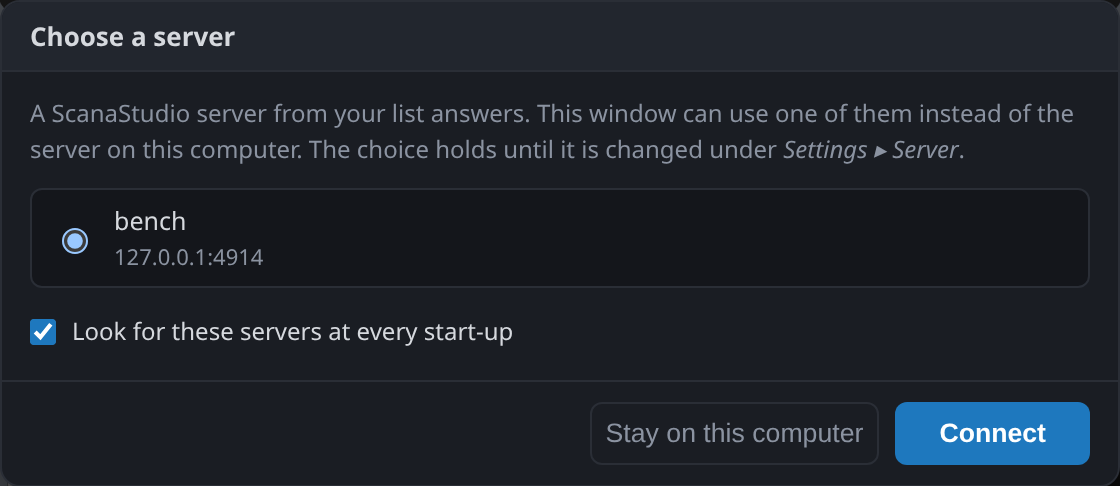
The choice holds until you change it, and "Stay on this computer" keeps the local one. Clearing "Look for these servers at every start-up" stops ScanaStudio asking.
A server on another machine is never yours to stop: closing your window leaves it running, with its workspaces intact, for whoever connects next.
There is no authentication. A server listening on anything other than 127.0.0.1 is reachable
by anyone who can reach that port, so put it on a trusted network, or reach it through SSH or a
VPN. Remote and shared instruments covers this in more detail.
What the server stores
The server records transitions, not samples. It keeps the instant each channel changed level, instead of one value per channel per tick. A signal that sits idle costs almost nothing to store. That is how very long captures are possible, and why capture depth is given in samples while the file on disk is much smaller than that number suggests.
You see the consequence in two places. Zooming out never loses an edge, because the edges are what was kept. And a CSV export of the samples lists transitions with their timestamps rather than a row per tick.
A workspace can be saved to a .scana file, which holds the samples together with the device
configuration, the decoders, the markers and the measurements. The server writes that file,
so the path you give it resolves on the machine the server runs on, not on yours.