Views
A decoder on a busy bus produces thousands of items. Reading them on the waveform means zooming in far enough to make one legible and then panning across the whole capture, which does not scale. The views list the same items as text, so they can be scanned, filtered and searched.
There are six, and the Views card opens and closes them:
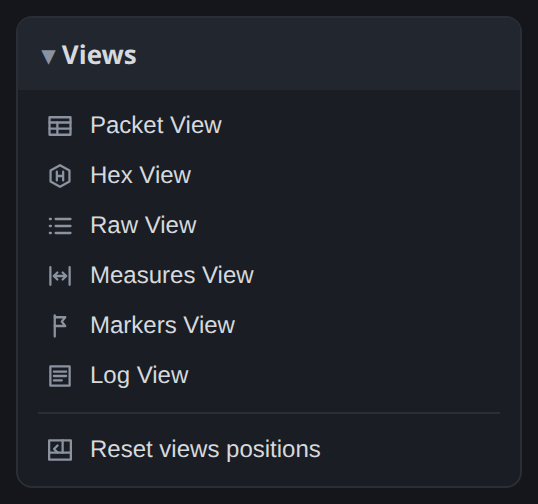
They share the bottom panel, and any of them can be pulled out into a window of its own. Reset views positions sends every open view back to the bottom panel at its default size.
Packet View
Decoded items grouped as the protocol structures them, one row per packet, with nested rows for the fields inside it.

The columns are the item number, start and end time, duration, the decoder it came from, a title
and the content. Each has a filter box above it, and the filters combine: a source of CAN and a
title containing ERROR gives you every bad frame in the capture and nothing else.
This view is the most useful for a protocol that defines packets. Modbus, CAN and 1-Wire all group naturally. UART does not, since it defines how a byte is encoded and nothing above that, so its packet rows are single bytes.
Hex View
A memory-dump layout: bytes in rows and columns with an address, and the ASCII equivalent beside them where the byte is printable.

Use it when the bytes on the bus are a block of data rather than a conversation: firmware going out over UART, the contents of an EEPROM read back over SPI, a file transfer. Setting the number of columns to match the record length of whatever you are comparing against lets you compare the two directly on screen.
Raw View
Every decoded item in order, with no grouping: start bits, data bytes, acknowledge bits, stop conditions. Every decoder produces it, whatever the protocol.

Use it when a decoder does something unexpected: it shows what the script actually emitted, not a tidied summary of it.
Measures View
The measurements on the workspace and their results, recomputed whenever a marker moves.

Markers View
Every marker with its time, including the trigger marker. Useful for stepping through a capture by the points you marked in it.

Log View
What the server and the scripts reported: decoder progress, script errors, device messages. It opens by itself when a script emits an error or a warning, which is usually the fastest explanation of a decoder producing nothing.

Working with a view
Double-click a row to move the waveform to that item. This is the main reason to use the views for navigation and not only for reading: find the frame you want in a list of five thousand by filtering, then double-click it to see it in context on the bus.
The column filters narrow the list as you type. The find bar searches across it.
Detach a view to give it a window of its own. This is useful if you have a second monitor: the packet list on one screen and the waveform on the other.